Hackers target home Wi-Fi routers to steal data
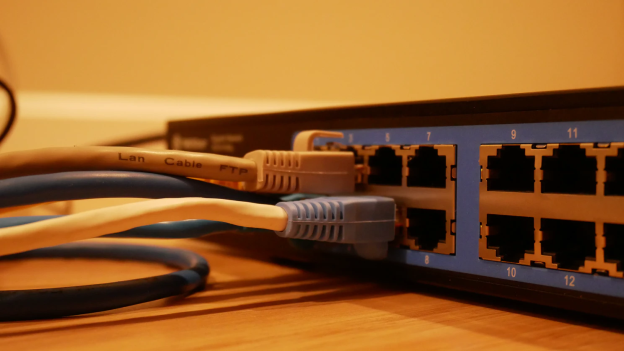
64% of users have Wi-Fi routers in their household, but one in six do nothing to protect them.
Recently, a group of hackers created a new tactic for involving home routers in phishing attacks. This is incredibly worrying to cybersecurity experts, as 64% of users have Wi-Fi routers in their household, and 1 in 6 do nothing to protect them.
The attackers were hacking poorly protected routers and changing their settings. Once that was done, they could redirect users to a fake web page that displayed a message, purportedly from the World Health Organization, telling users to download an application that offers information about COVID-19. The application would then work as an info stealer and upload the stolen data to hackers’ servers.
“This attack affected almost 1,200 users who didn’t protect their home internet enough. According to our research, many users do nothing to protect their smart devices, so the situation might repeat itself in the future if users’ habits don’t change,” cybersecurity expert Daniel Markuson, NordVPN, comments.
What are the dangers of Wi-Fi router hacking?
- Unwanted users. While this does not necessarily put users’ privacy in danger, it could be rather annoying for many people and reduce the connection speed when somebody unwanted uses the network. It becomes even more worrying if the unwanted users decide to do something illegal, like shopping on the dark web or streaming pirated content.
- Spying on internet traffic. A Wi-Fi router usually provides internet connection to all the smart devices in a household, including phones, laptops, smart TVs, and speakers. So, if a router gets hacked, it gives access to all the traffic on the user’s network from any device connected to it, and an attacker can see everything you are doing online (from shopping to entering your bank credentials).
- Taking control of the user’s internet activity. In aman-in-the-middle attack, a cybercriminal places their device between a victim’s device and the Wi-Fi router. This allows hackers to secretly control the user’s traffic, potentially redirecting him or her to a malicious site that fools users into entering their credentials or banking details.
- Redirecting to malicious and phishy websites. In order to redirect a user, attackers can perform DNS hijacking. It is a type of cyber attack when the router settings are changed to redirect users to websites that trick them into giving away personal information or malicious websites that download malware onto their device.
What can be done to protect home Wi-Fi networks?
“When it comes to hacking computers or phones, the dangers seem to be clear to most of the users. However, Wi-Fi routers don’t store any information, so users pay little attention to protecting them. And that is why they become targets for hackers more and more often,” Markuson says.

The least you can do to protect your home router is to change your default router password. After that, you can turn off SSID (Wi-Fi network name) broadcasts. If you hide your SSID, the name of your home Wi-Fi won’t appear in the list when someone tries to connect. Instead, they’ll have to manually connect by typing in your home Wi-Fi name and password. This way, a potential intruder will have to know the exact name of your home Wi-Fi as well as the password.
Lastly, install a VPN on your router. A VPN will encrypt the traffic on every device connected to your home Wi-Fi. It scrambles all of your online data, rendering it complete gibberish to hackers trying to intercept your network.
READ MORE:
- The security threat of Bring Your Own Device (BYOD) initiatives
- How CIOs can become CEOs: tips from a tech leadership headhunter
- Why More Women are Choosing STEM Careers and Stereotypes Are Being Smashed
- What’s the state of gender diversity in the tech industry?
About NordVPN
NordVPN is the world’s most advanced VPN service provider used by over 14 million internet users worldwide. NordVPN provides double VPN encryption, malware blocking, and Onion Over VPN. The product is very user-friendly, offers one of the best prices on the market, has over 5,000 servers in 60 countries worldwide, and is P2P-friendly. One of the key features of NordVPN is the zero-log policy.
For more news from Top Business Tech, don’t forget to subscribe to our daily bulletin!
Follow us on LinkedIn and Twitter

